Chargerlab Chargerlab
  • News
    • What's New
    • Interviews
    • Vlogs
    • Events
    • Industry
  • Reviews
    • Charging Compatibility
    • Fully Charging
    • Comparison
    • Chargers & Cables
    • Power Banks & Stations
    • Mobile Devices
    • Accessories
  • Teardowns
    • Chargers & Cables
    • Power Banks & Stations
    • Power Supplies
    • Prototypes
    • Batteries
    • Accessories
  • Videos
    • YouTube
    • TikTok
  • Guides
    • How to Buy
    • Explained
    • Deals
    • ICs
  • POWER-Z
    • KM003C/KM002C
    • KT002
    • Buy POWER-Z
    • Technical Support
  • Contact Us
Home › News › Stop Overpaying for iPhone MagSafe Stands:DIY This $1 Version Today!
  • 0

Stop Overpaying for iPhone MagSafe Stands:DIY This $1 Version Today!

Joshua
May 15, 2026

Introduction

For Apple users, an all-in-one MagSafe stand is a game-changer for desk organization and integrated charging. But with most premium options carrying a hefty price tag, many fans find themselves priced out of the market.
Stop Overpaying for iPhone MagSafe Stands:DIY This $1 Version Today!-Chargerlab

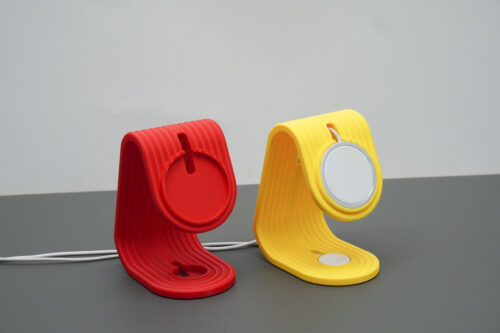
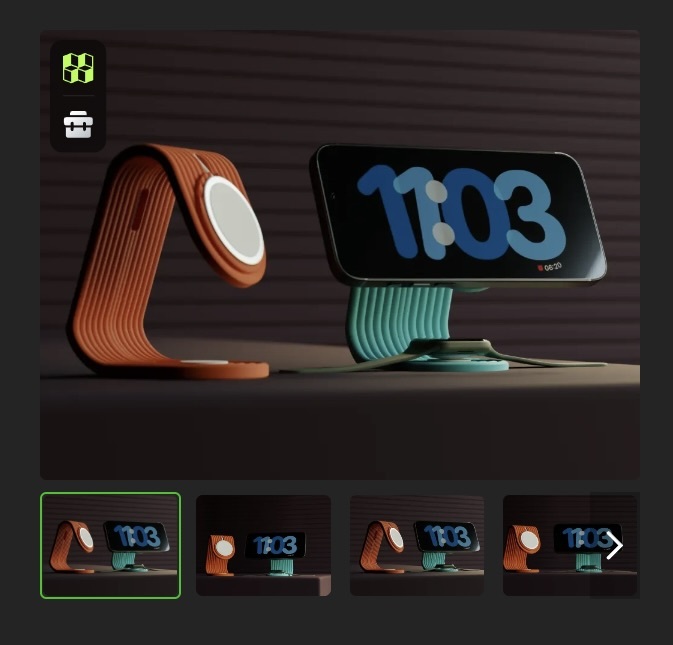
ChargerLAB has learned that Abstractia Design, a popular creator on Bambu Lab's MakerWorld, has dropped a sleek 2-in-1 charging dock. It’s a DIY project that combines an Apple MagSafe and an Apple Watch charger into one stylish stand.

Here’s ChargerLAB's hands-on look at how this custom-built stand actually performs in daily use.

Product Appearance
Stop Overpaying for iPhone MagSafe Stands:DIY This $1 Version Today!-Chargerlab

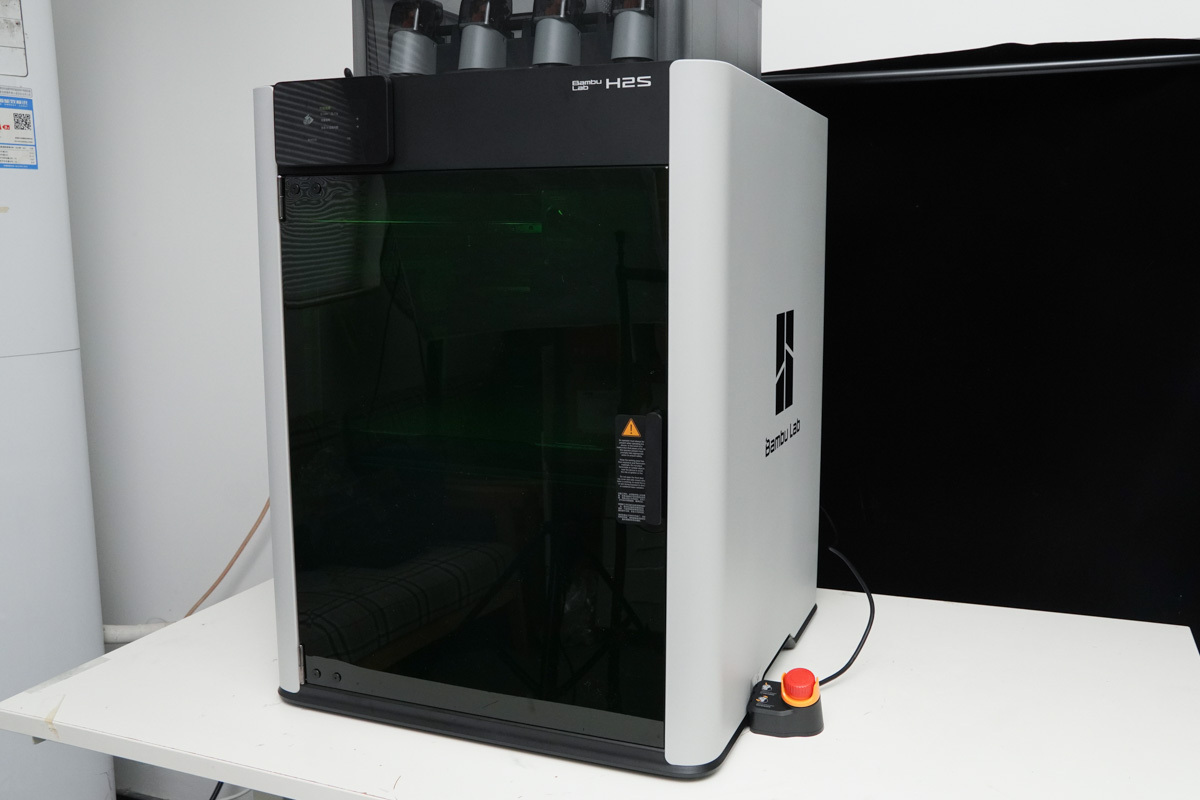
The 3D printing equipment used for this project is the Bambu Lab H2S.
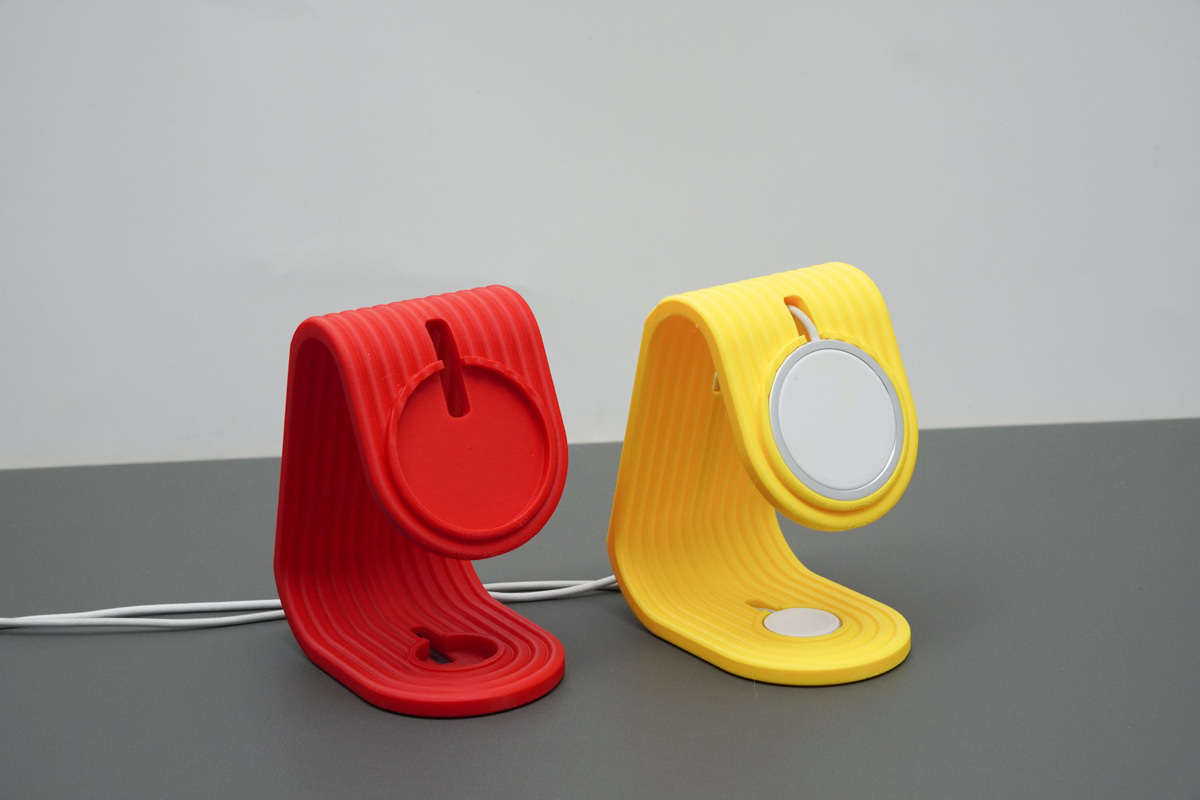
Stop Overpaying for iPhone MagSafe Stands:DIY This $1 Version Today!-Chargerlab

The stand features a sleek, one-piece bent form with a striped texture that’s full of vibe. When printing, we suggest going with macaron-toned filaments to give it a fresh, trendy look. It’s a perfect desktop accessory that fits right into any workspace.
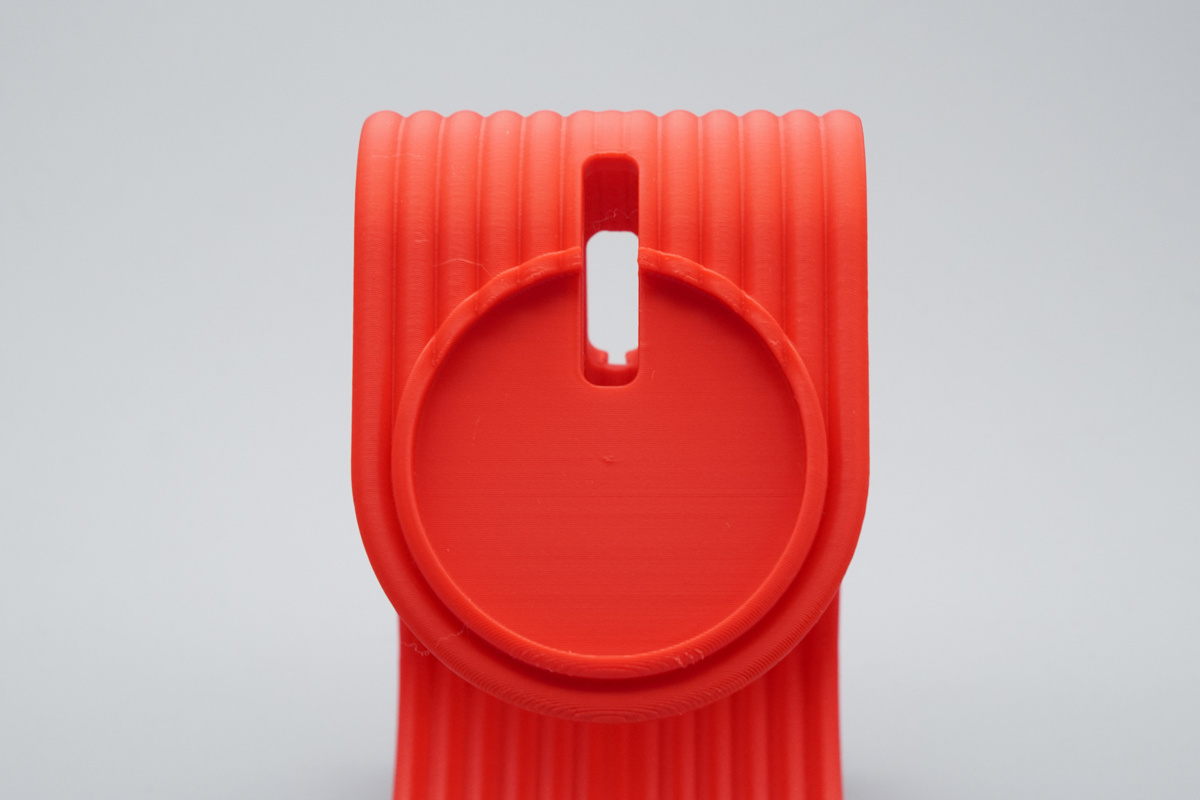
Stop Overpaying for iPhone MagSafe Stands:DIY This $1 Version Today!-Chargerlab

The top is designed with a perfect-fit cutout for your MagSafe, plus a handy cable passthrough to keep everything tidy
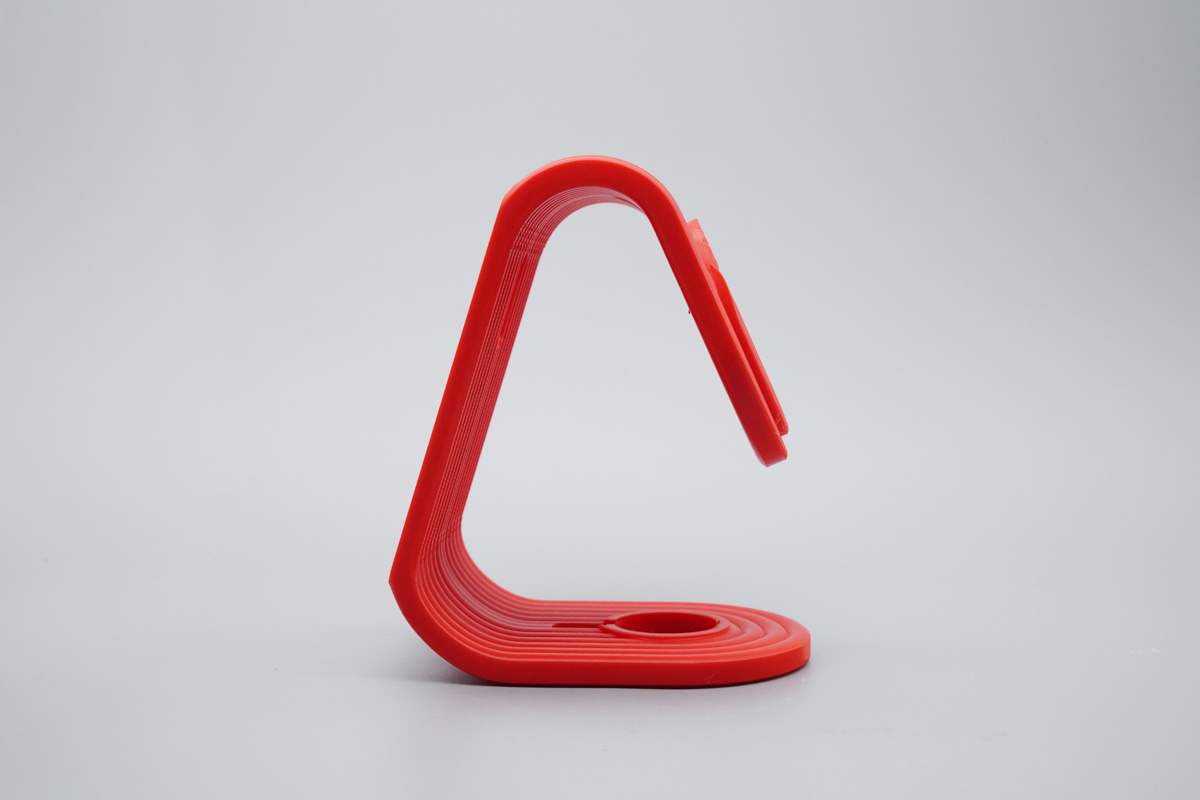
Stop Overpaying for iPhone MagSafe Stands:DIY This $1 Version Today!-Chargerlab

The side profile features clean and fluid lines, eliminating any redundant design elements.
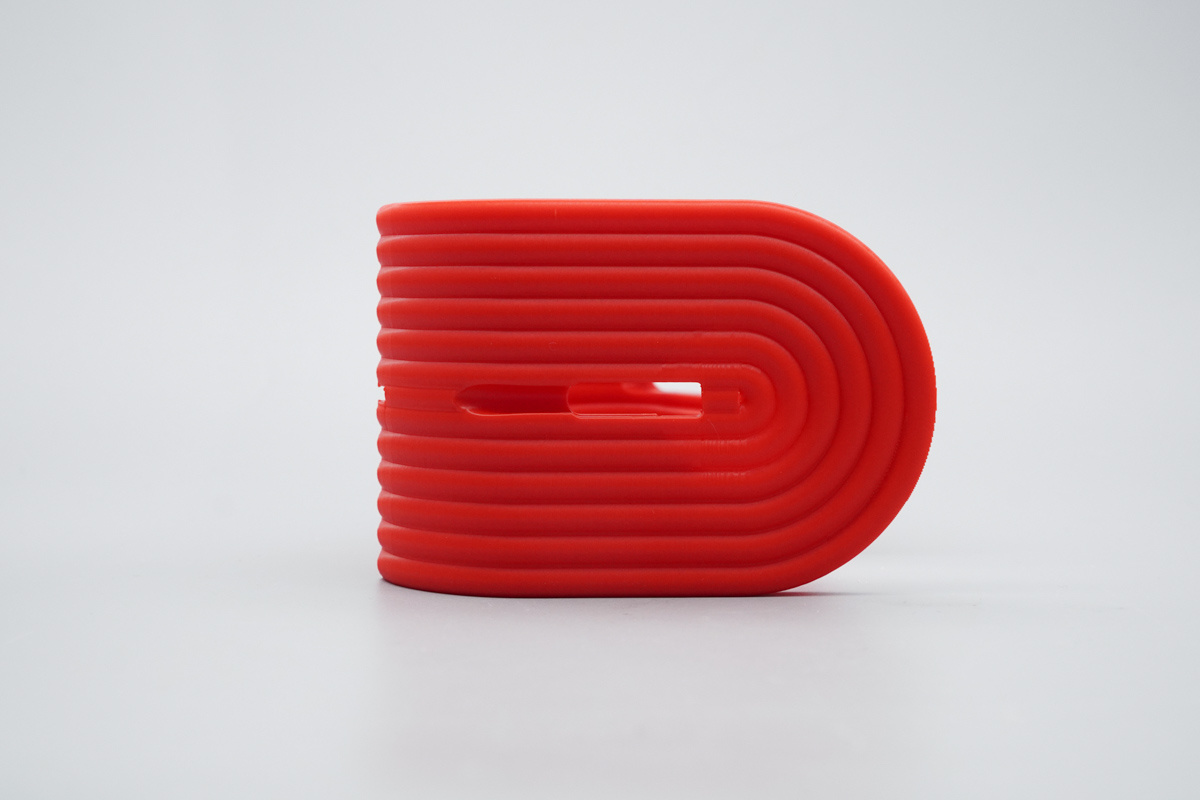
Stop Overpaying for iPhone MagSafe Stands:DIY This $1 Version Today!-Chargerlab

Looking closer at the bottom, you’ll find another matching cable passthrough for clean cable management.
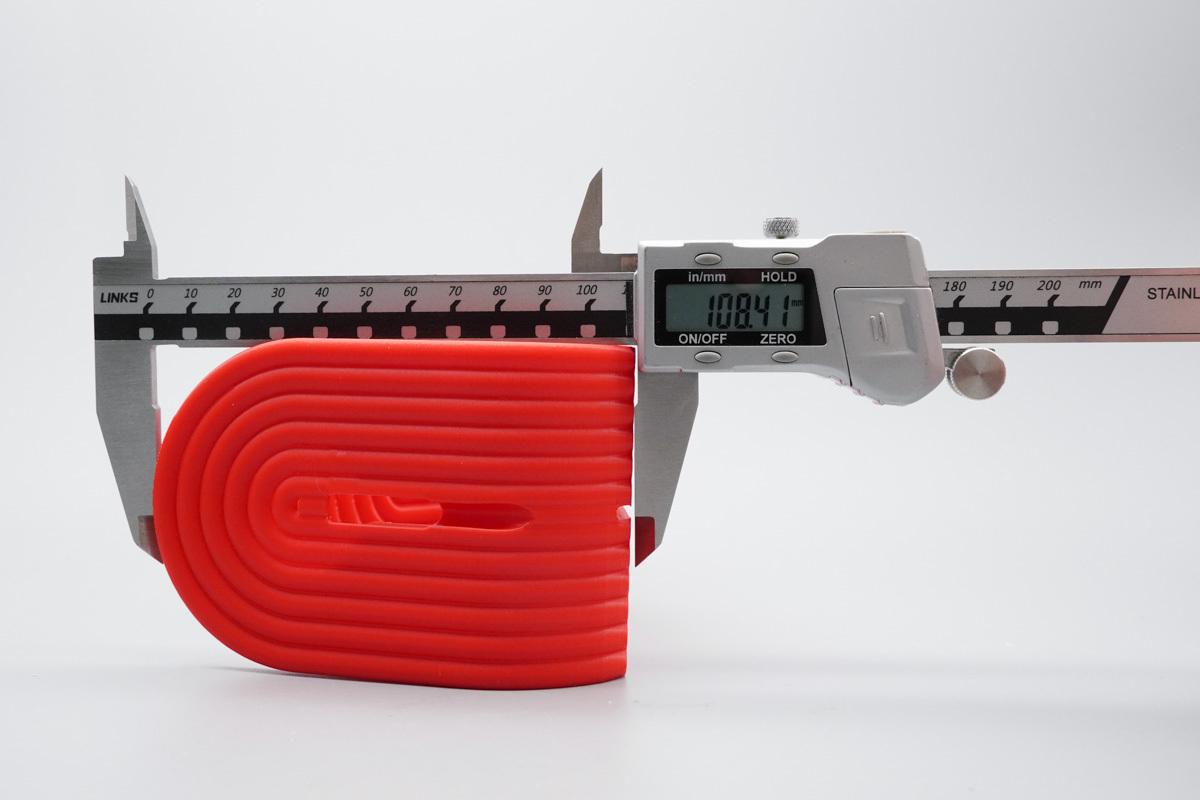
Stop Overpaying for iPhone MagSafe Stands:DIY This $1 Version Today!-Chargerlab

The length of it is about 108.41mm (4.268 inches).
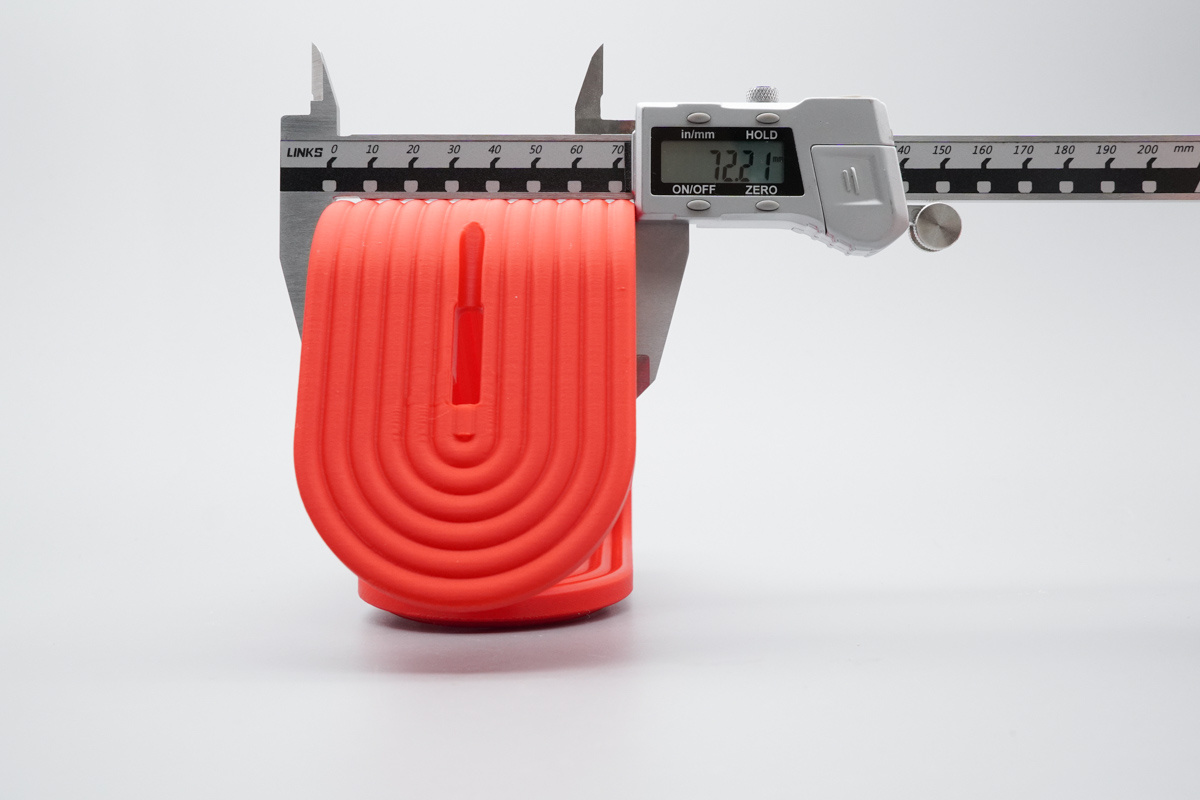
Stop Overpaying for iPhone MagSafe Stands:DIY This $1 Version Today!-Chargerlab

The width of it is about 72.71mm (2.863 inches).
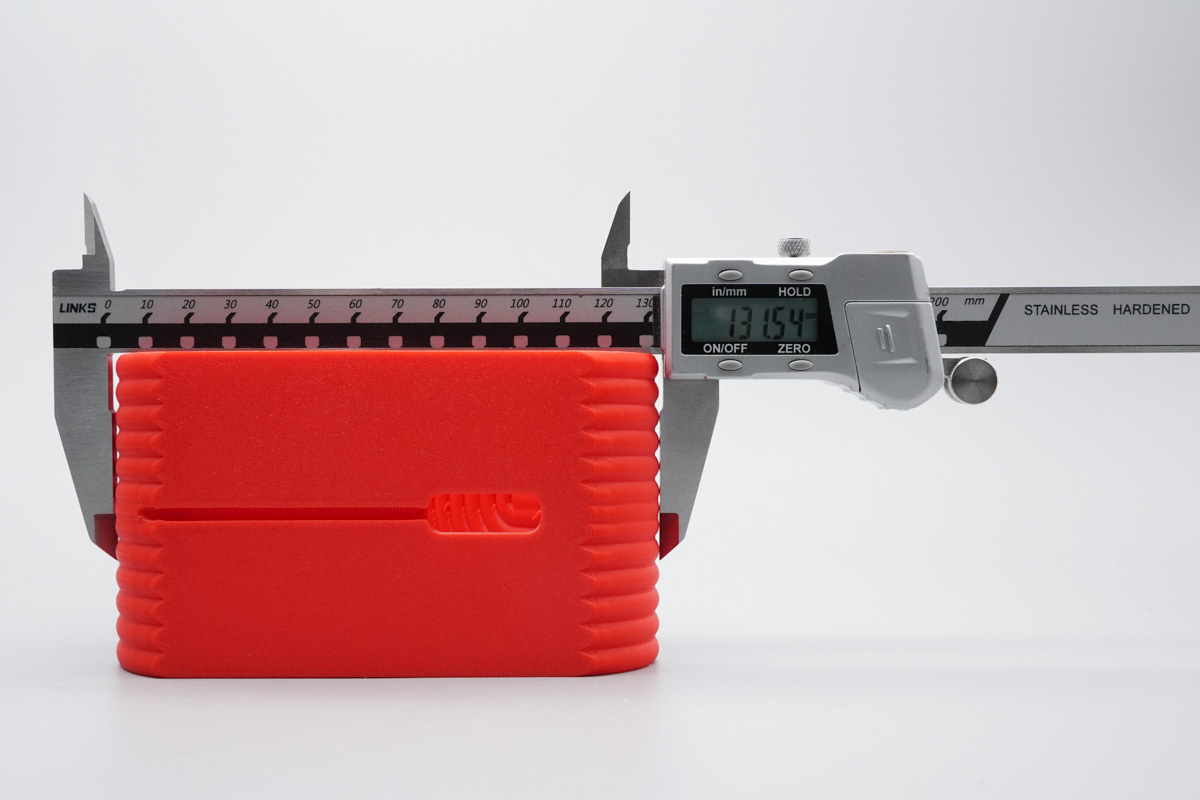
Stop Overpaying for iPhone MagSafe Stands:DIY This $1 Version Today!-Chargerlab

The height of it is about 131.54mm (5.179 inches).
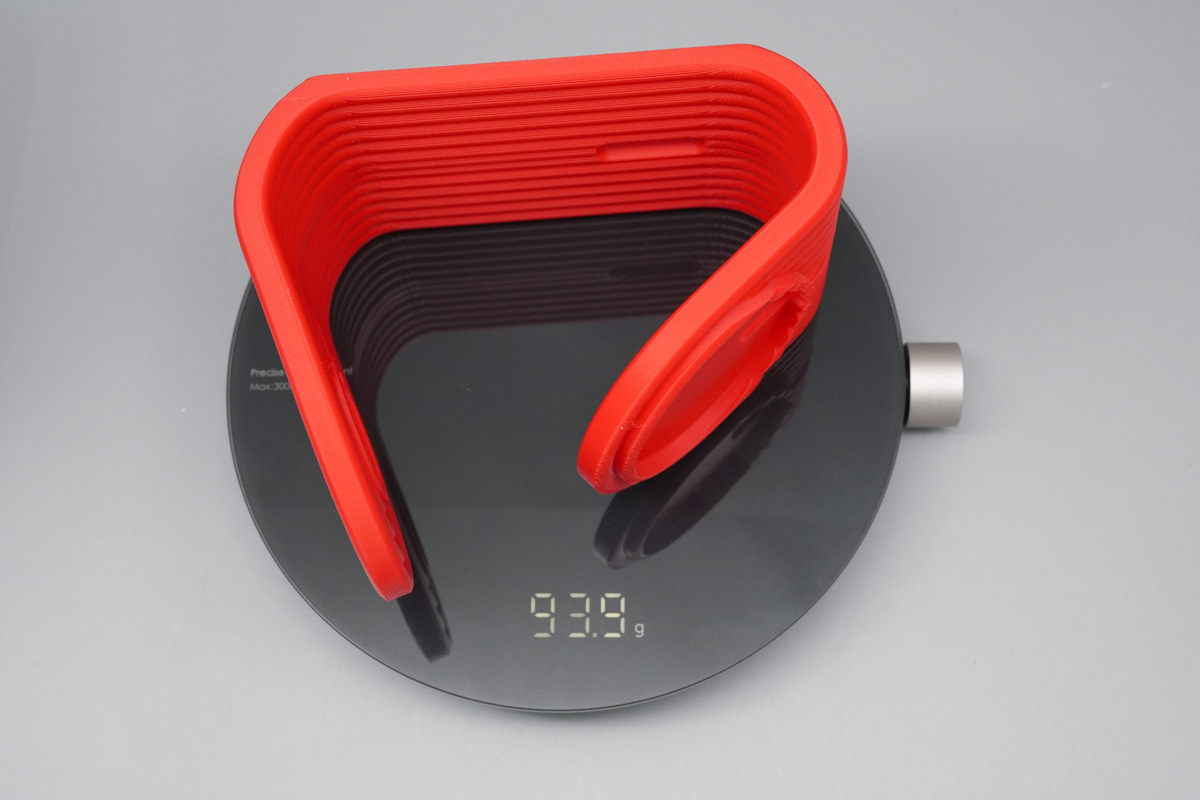
Stop Overpaying for iPhone MagSafe Stands:DIY This $1 Version Today!-Chargerlab

Based on a filament cost of $7.66/kg, the estimated material cost is approximately $0.72.
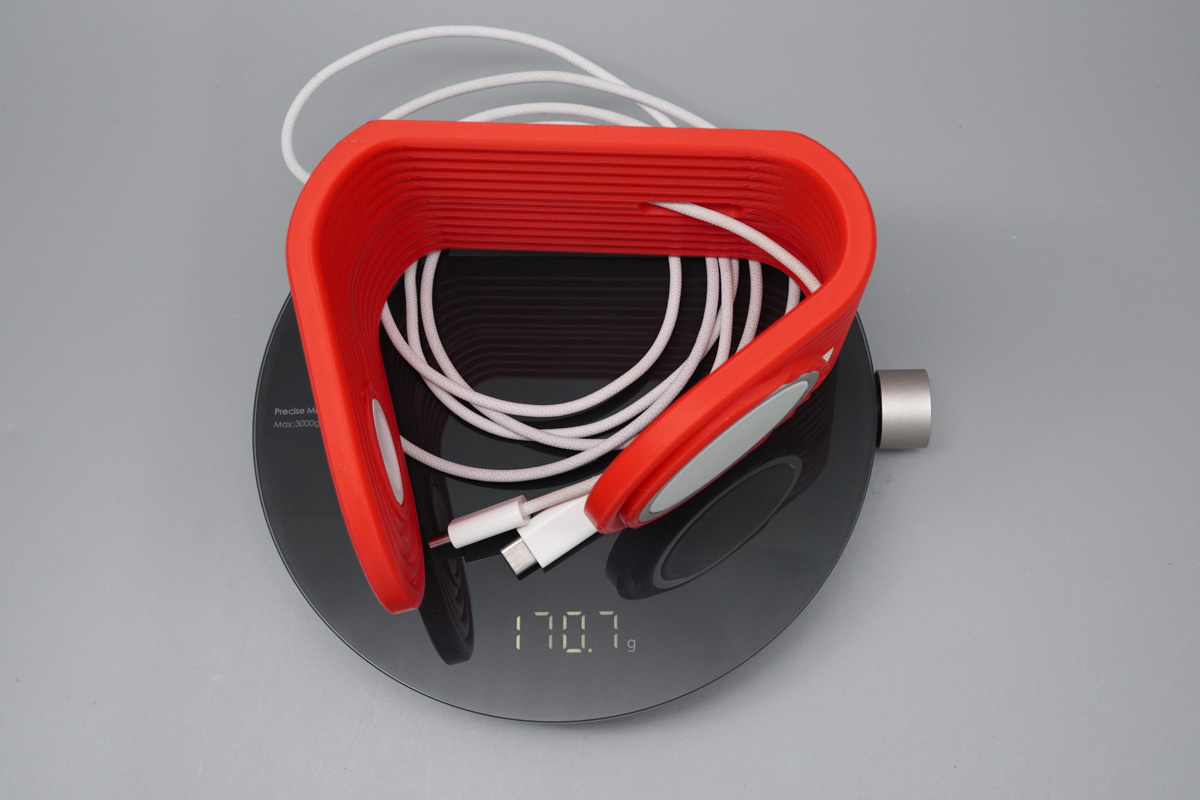
Stop Overpaying for iPhone MagSafe Stands:DIY This $1 Version Today!-Chargerlab

With the MagSafe and Apple Watch chargers, the total weight is about 170.7g (6.02 oz).
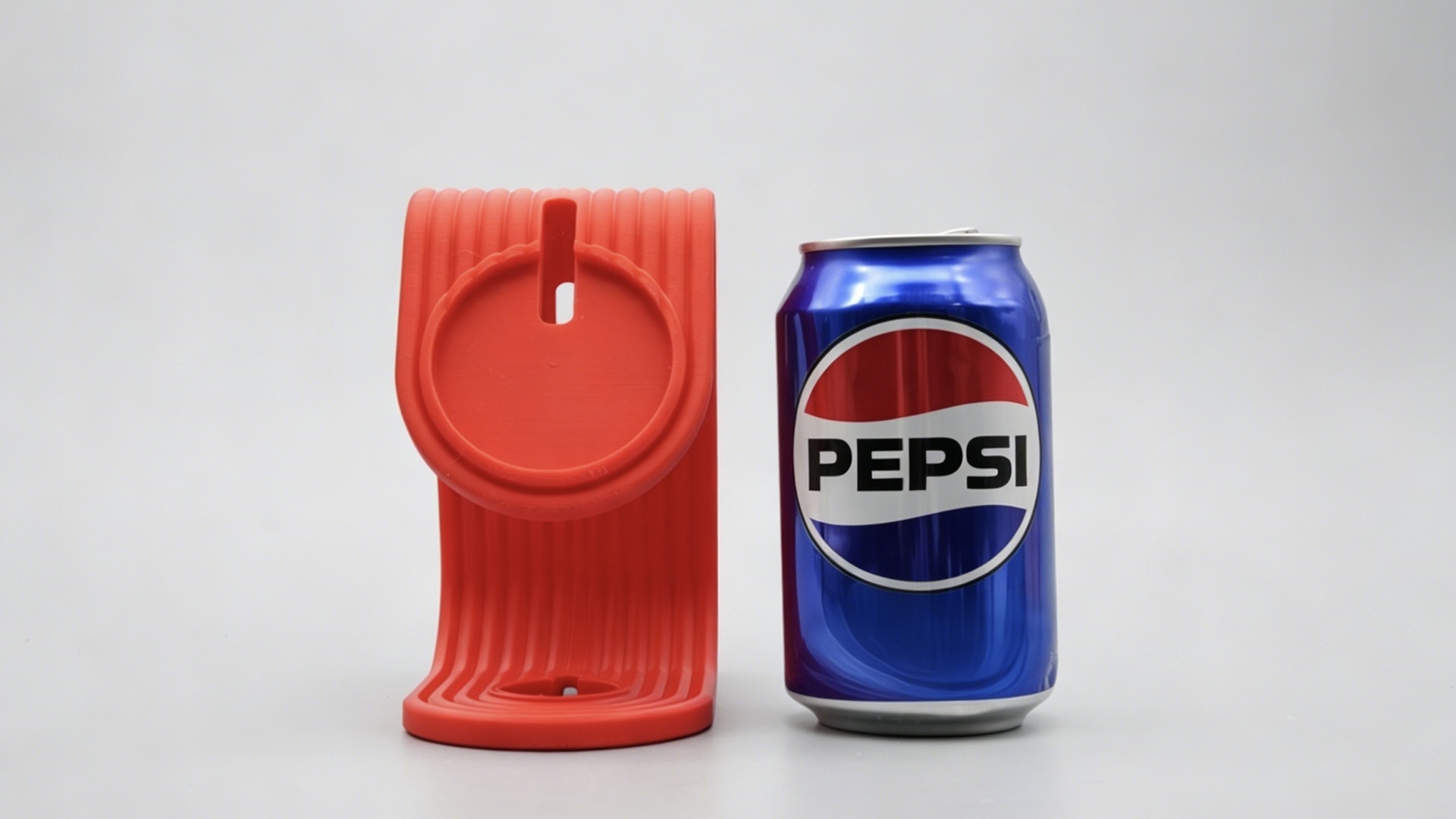
Stop Overpaying for iPhone MagSafe Stands:DIY This $1 Version Today!-Chargerlab

Here’s a front-facing size comparison with a can of Pepsi for scale.

Final Look
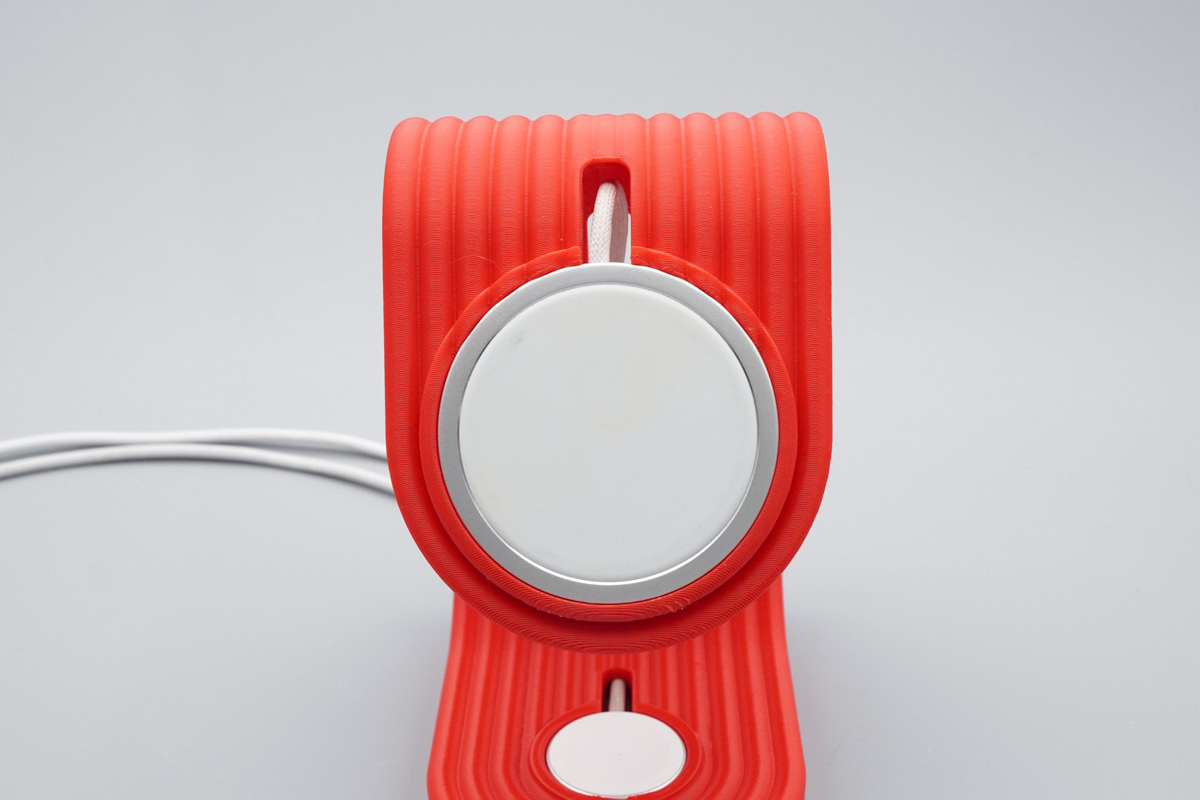
Stop Overpaying for iPhone MagSafe Stands:DIY This $1 Version Today!-Chargerlab

Seeing that the HK-spec MagSafe charger fits the recessed slot perfectly, with zero loosening or risk of detachment.
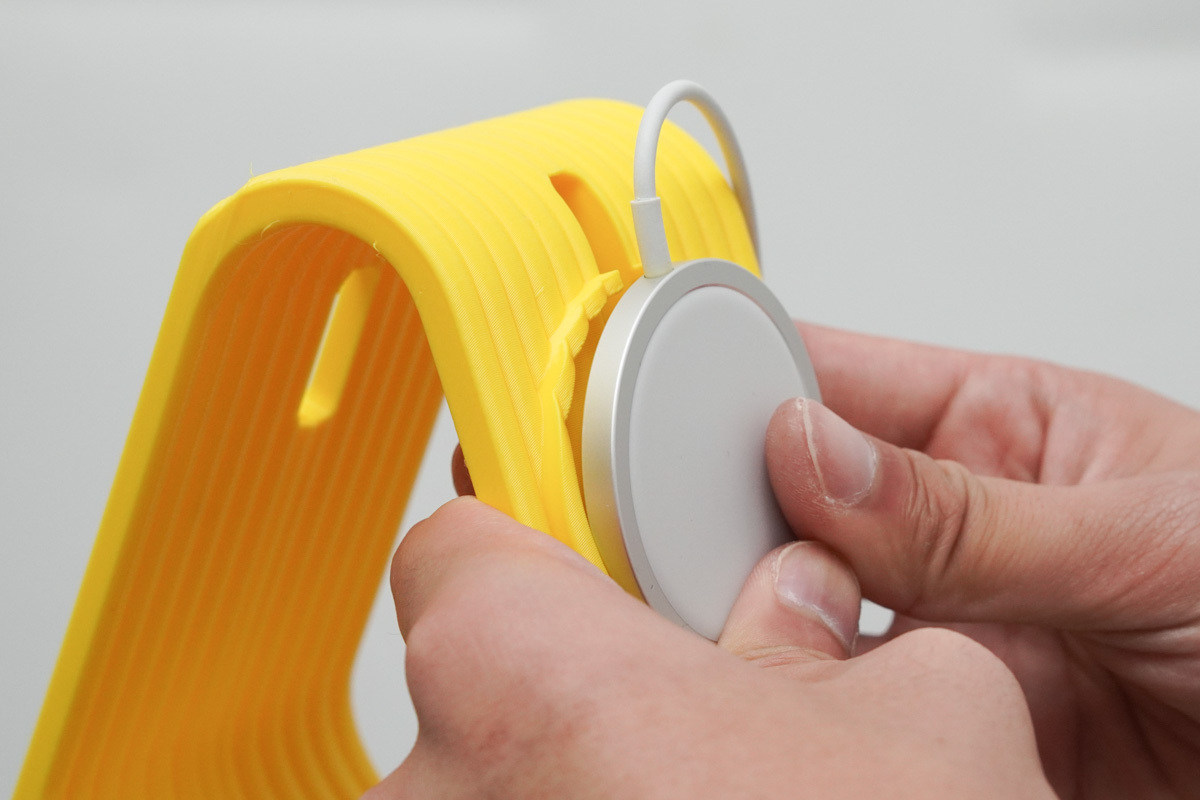
Stop Overpaying for iPhone MagSafe Stands:DIY This $1 Version Today!-Chargerlab

Since this is a U.S. design, it plays nice with the HK-spec MagSafe, but the Mainland China version won't fit this stand. If you're using a charger from Mainland China, make sure to print the 'Third-party Adapter' variant instead.
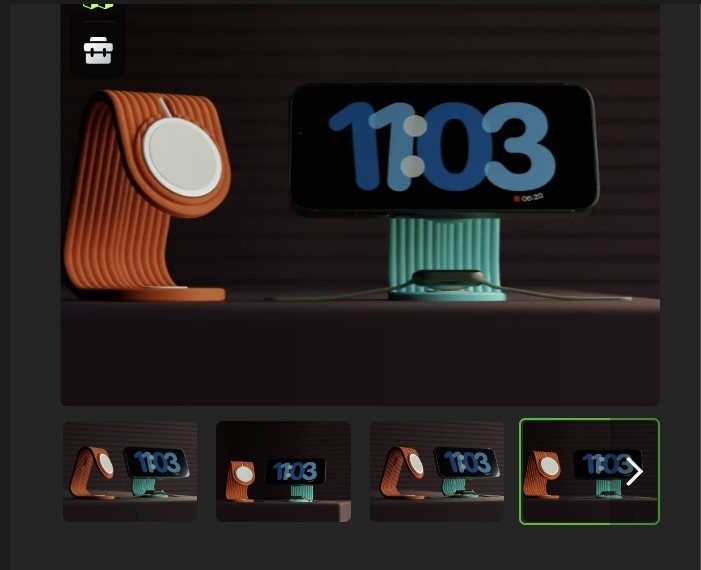
Stop Overpaying for iPhone MagSafe Stands:DIY This $1 Version Today!-Chargerlab

Now we're sharing some versions of the files, including dedicated fits for third-party chargers with everyone plenty of options to choose from.
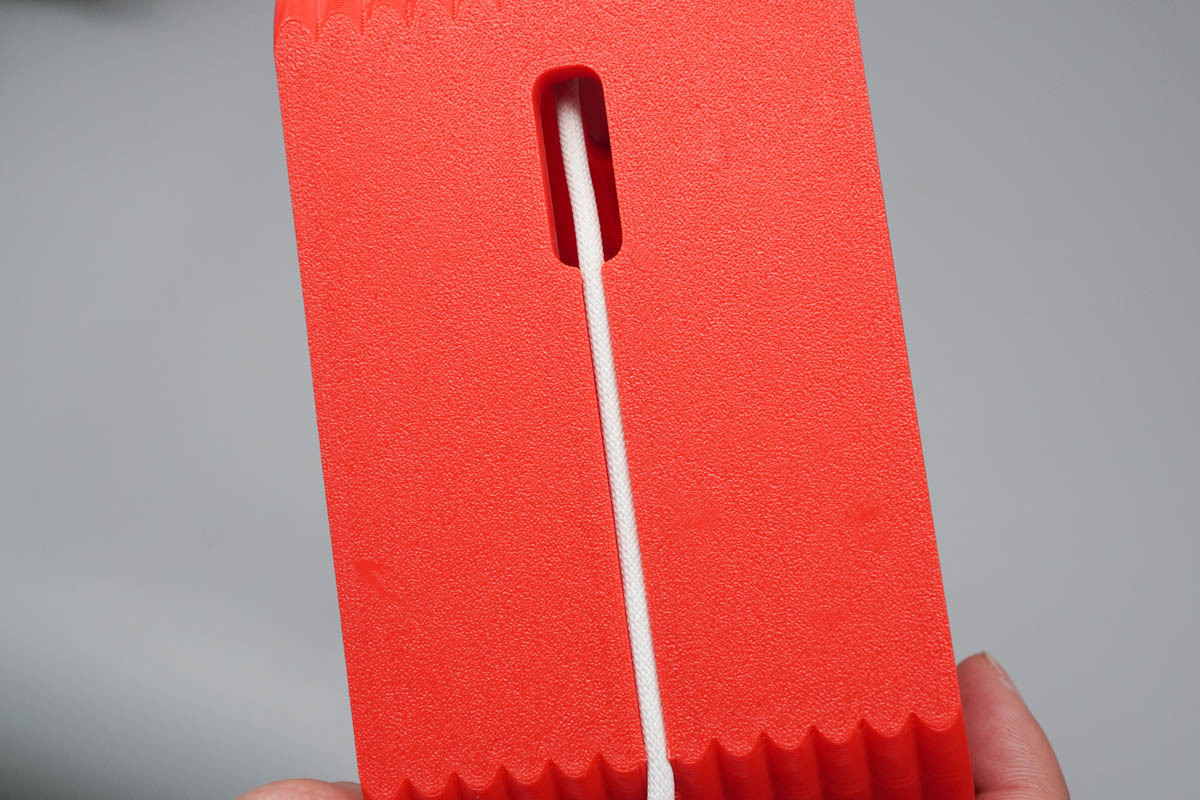
Stop Overpaying for iPhone MagSafe Stands:DIY This $1 Version Today!-Chargerlab

From the view of base, the wires snap perfectly into the integrated channels and sit completely flush with the rear.
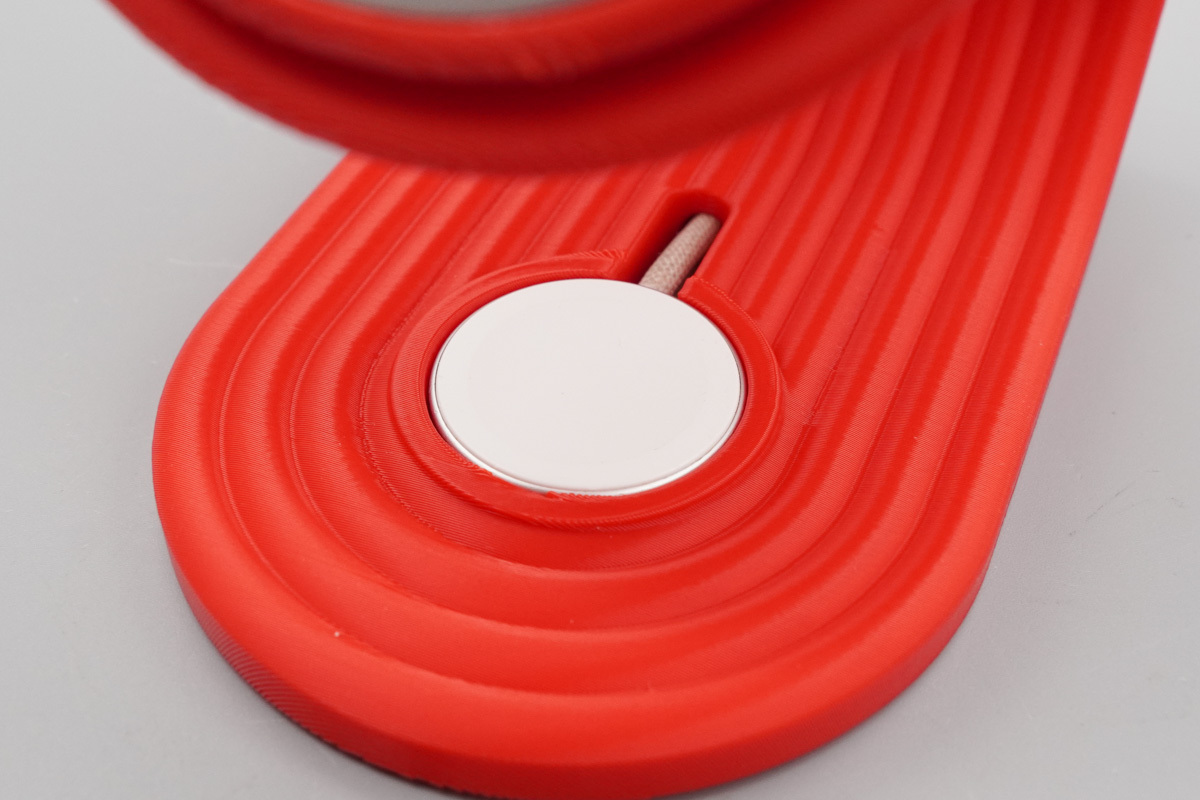
Stop Overpaying for iPhone MagSafe Stands:DIY This $1 Version Today!-Chargerlab

The Apple Watch charger puck at the bottom snaps into its dedicated cutout with a perfect, gap-free fit.
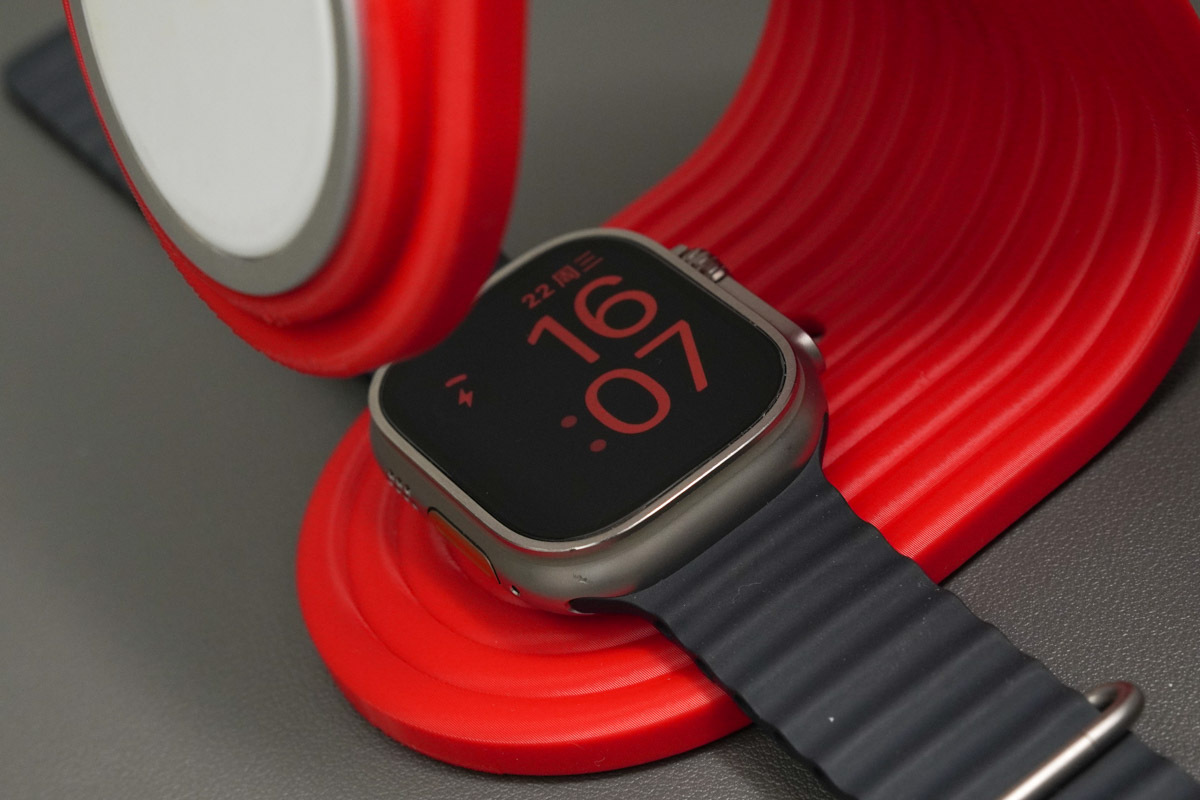
Stop Overpaying for iPhone MagSafe Stands:DIY This $1 Version Today!-Chargerlab

This is the Apple Watch Ultra during a live charging session.
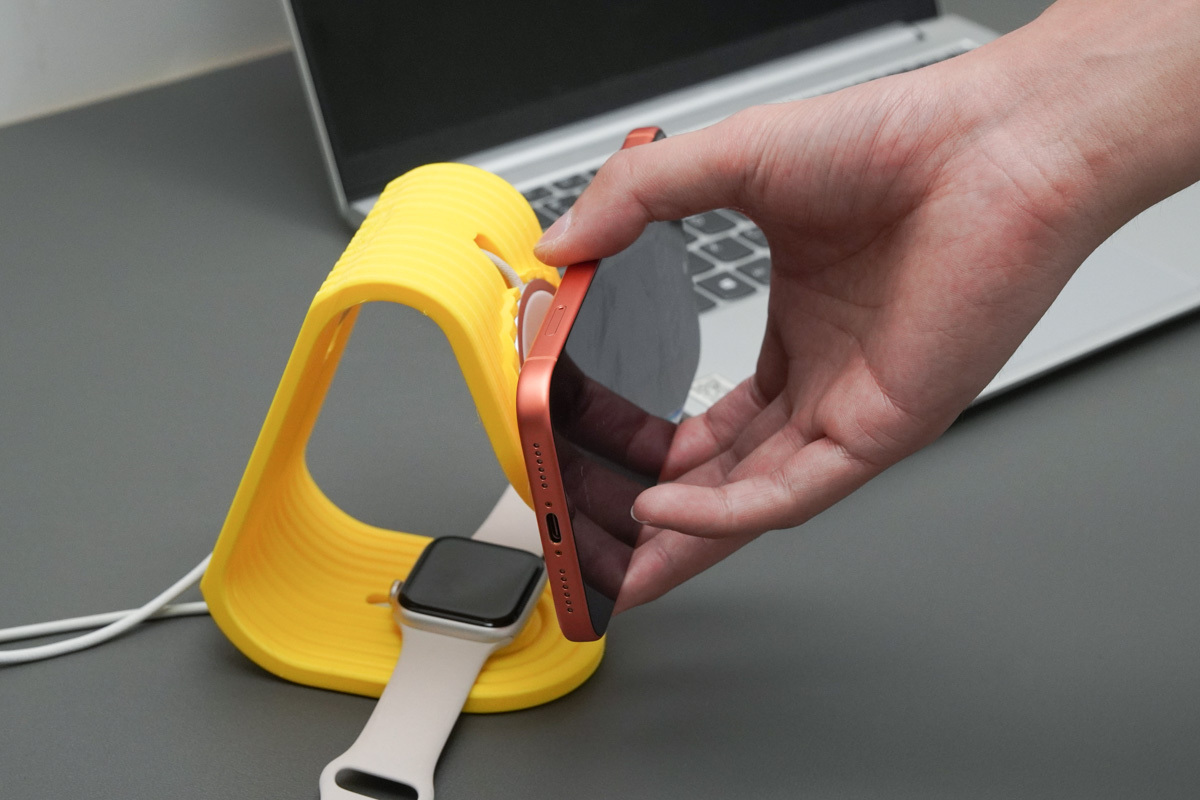
Stop Overpaying for iPhone MagSafe Stands:DIY This $1 Version Today!-Chargerlab

In daily use, your iPhone snaps on with one hand effortlessly. Whether you're in portrait or landscape mode, the setup stays rock-solid and stable.
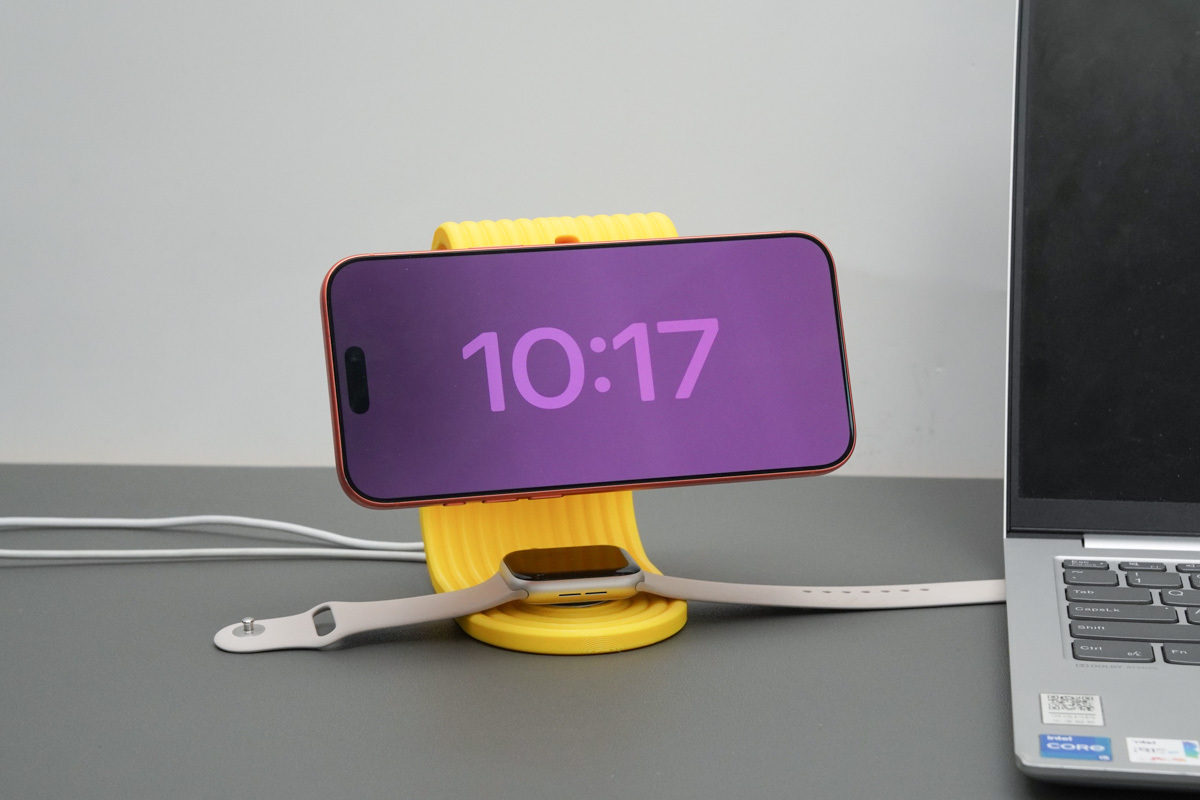
Stop Overpaying for iPhone MagSafe Stands:DIY This $1 Version Today!-Chargerlab

Snapping your iPhone on horizontally kicks in StandBy mode instantly. It’s perfect as a desktop timepiece while charging, or as a media stand for video playback.
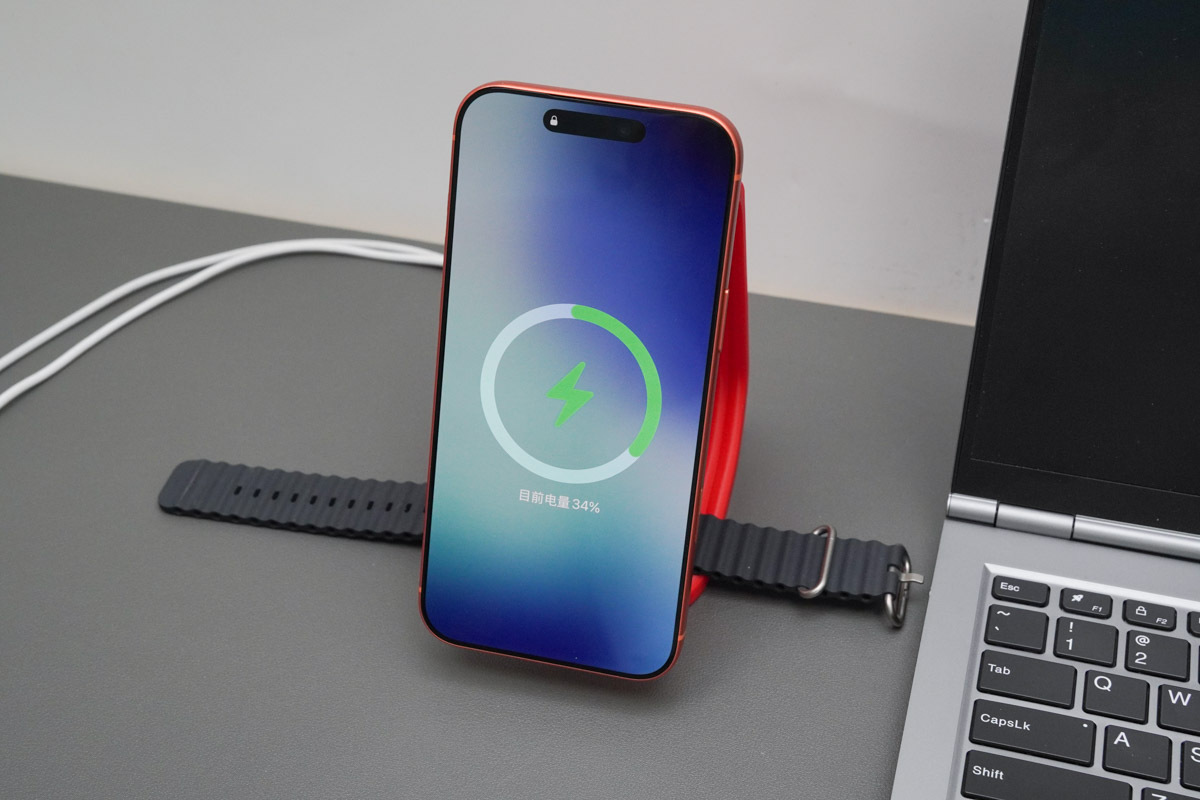
Stop Overpaying for iPhone MagSafe Stands:DIY This $1 Version Today!-Chargerlab

In portrait mode, it maintains standard magnetic wireless charging, making this stand versatile enough for any daily setup.
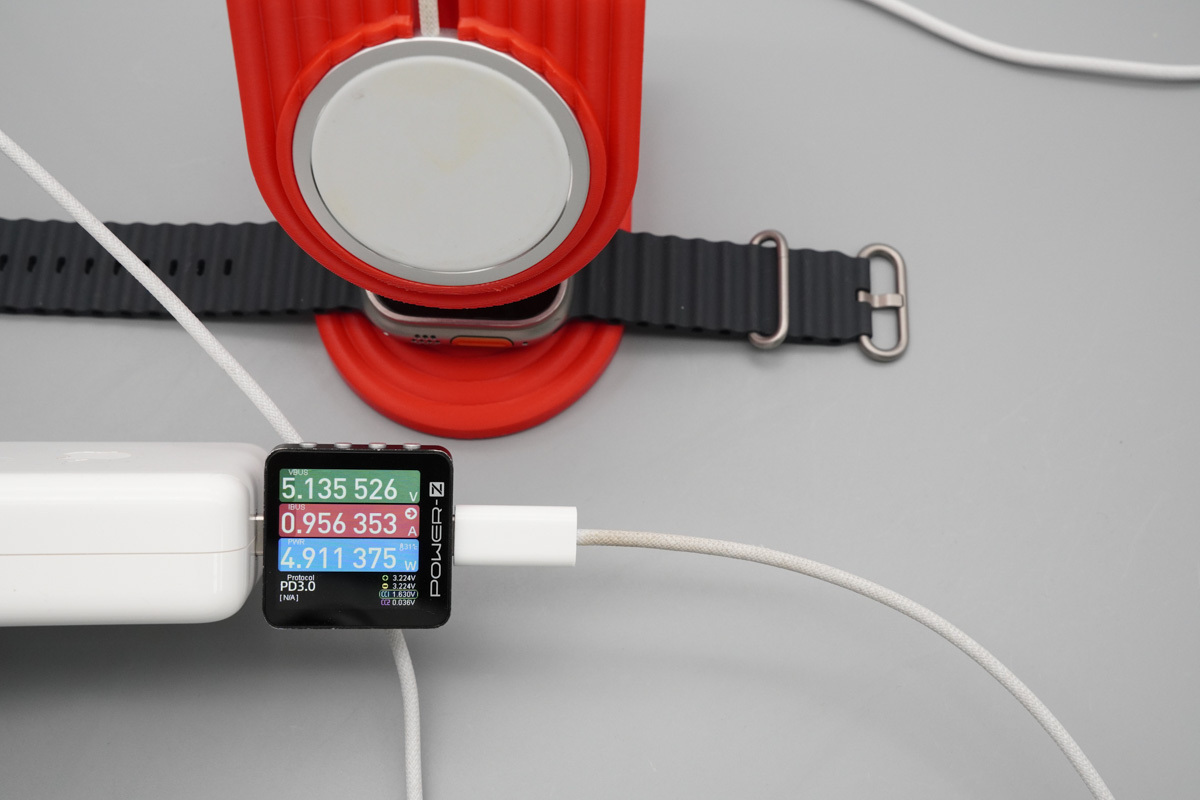
Stop Overpaying for iPhone MagSafe Stands:DIY This $1 Version Today!-Chargerlab

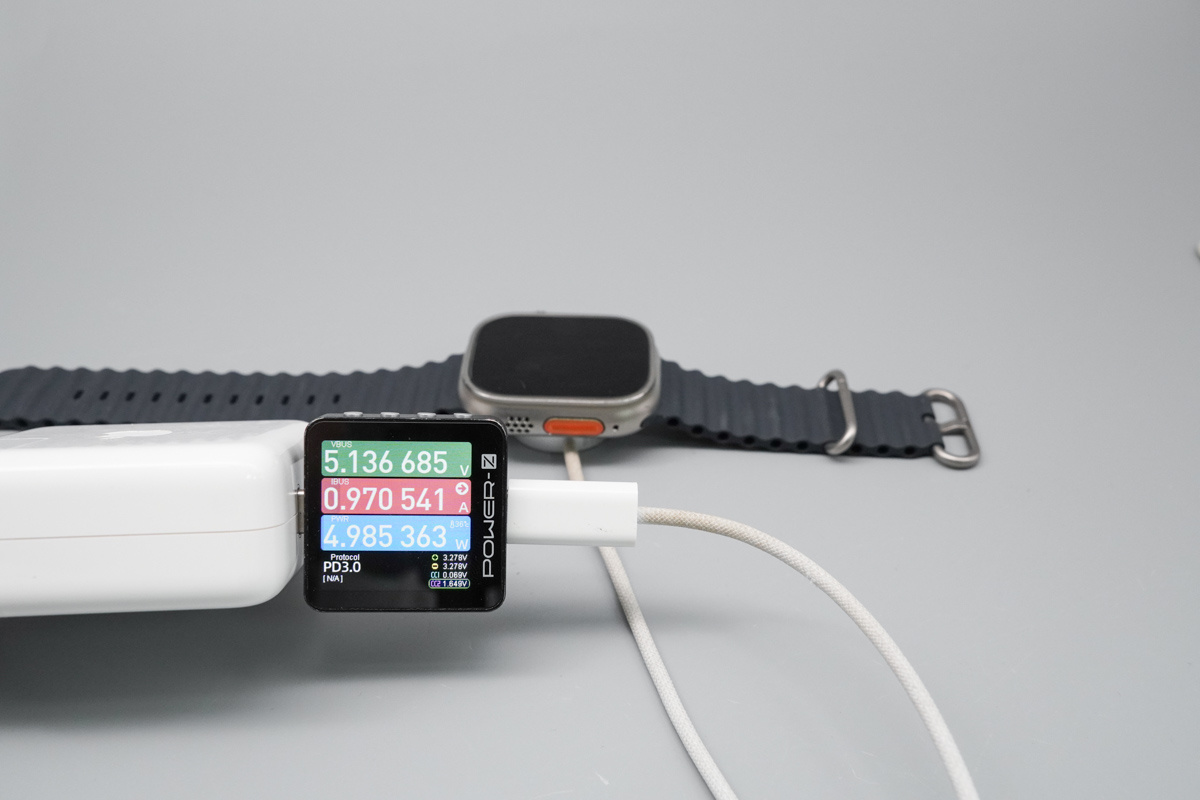
When the Apple Watch Ultra is placed on the designated charging area, paired with an original Apple 70W power adapter and an Apple Watch magnetic charger, the output is 5.14V 0.96A 4.91W.
Stop Overpaying for iPhone MagSafe Stands:DIY This $1 Version Today!-Chargerlab

Compared to Apple Watch magnetic charger without the stand, which input power is 4.99W, there’s virtually no difference in performance. You’re getting full speed even with the stand.
Stop Overpaying for iPhone MagSafe Stands:DIY This $1 Version Today!-Chargerlab

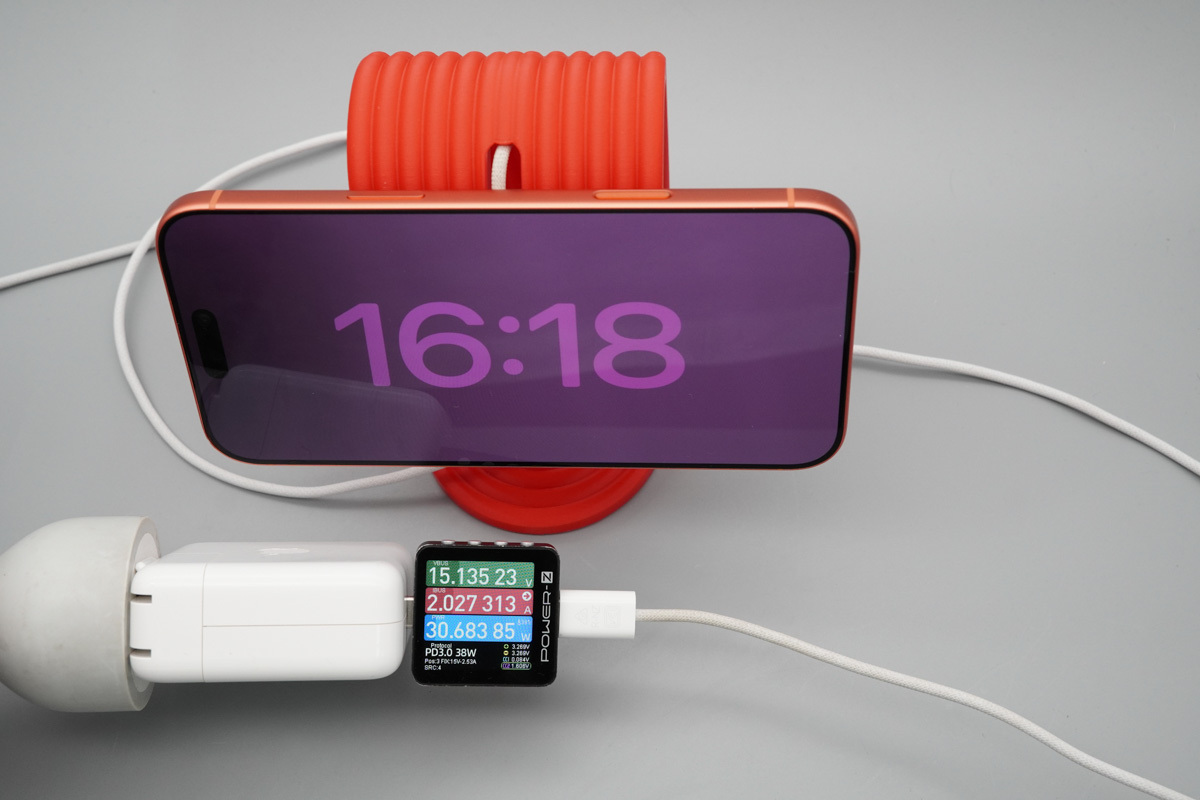
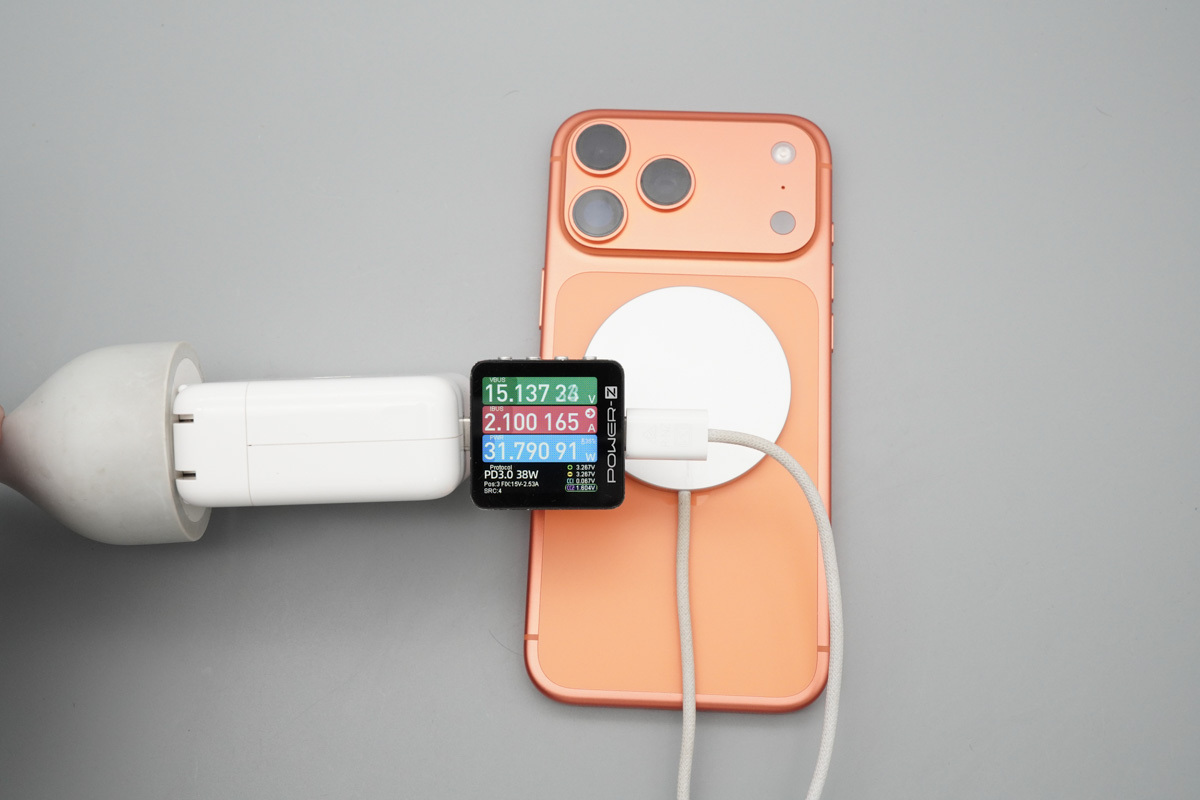
In wireless charging performance, paired with the HK-spec MagSafe, the measured input power is 15.14V 2.03A 30.68W.
Stop Overpaying for iPhone MagSafe Stands:DIY This $1 Version Today!-Chargerlab

The results are identical whether you're charging the iPhone no more condition or using this stand. It’s clear the stand's build doesn't throttle or interfere with the charging speeds at all.

Summary of ChargerLAB

With a material cost of only $0.70, this DIY 2-in-1 stand is a game-changer for those put off by premium brand markups. It’s a perfect home-brew solution that slashes the price of a clean Apple desktop setup without sacrificing the magnetic charging experience.
Stop Overpaying for iPhone MagSafe Stands:DIY This $1 Version Today!-Chargerlab

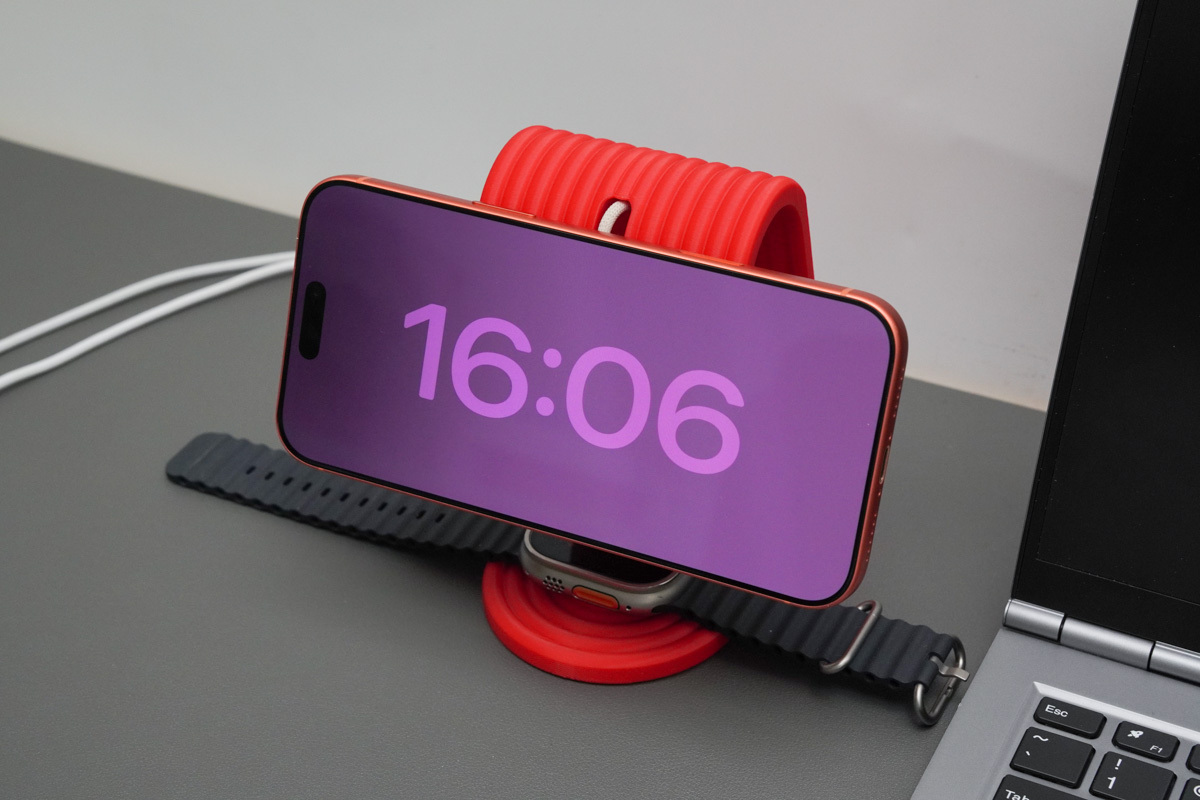
With a sleek, minimalist look and spot-on cutouts, this stand offers a perfect, gap-free fit for both MagSafe and Apple Watch chargers. The clean routing keeps cables tidy, while the multi-version support adds great versatility for HK, Mainland China, or even third-party gear.

This stand is rock-solid, supporting both vertical and horizontal setups. Landscape mode kicks in the StandBy clock perfectly, making it a great companion for movies while juicing up. Our power stress tests show the charging speeds are identical to a iPhone without the stand—full speed, zero loss, and completely stable for daily use.

While big-brand chargers can cost a fortune, this DIY build delivers massive value at a fraction of the price. It’s functional, highly customizable, and a perfect fit for Apple fans and 3D printing makers. It’s the ultimate desktop upgrade that doesn't compromise on looks or utility.

Related Articles:
1. Decap Analysis Confirms Apple’s New 140W Charger Is a True GaN Charger
2. V.1.9.9 Supports Apple's New 40W Charger | The New Software Version of ChargerLAB POWER-Z KM003C
3. Hands-On Guide: ChargerLAB POWER-Z KM003C Load Test of Apple’s 40W Dynamic Power Adapter
0
Ditching the Old Standards:Walmart Hyper Tough Battery Pack Gains USB-C Fast Charge Support
Previous

Hot posts

Stop Overpaying for iPhone MagSafe Stands:DIY This $1 Version Today!
Ditching the Old Standards:Walmart Hyper Tough Battery Pack Gains USB-C Fast Charge Support
New Product Release: Introducing the PowerPi X140C-C Fast Charging Module
Teardown of Nubia 45W Original Charger (US Version)

Related posts

Infineon Launches Industry’s First 20 Gbps USB Peripheral Controller

Infineon Launches Industry’s First 20 Gbps USB Peripheral Controller

December 10, 2024
0
Apple iPhone 15 Support 15W Wireless Charging Without MagSafe

Apple iPhone 15 Support 15W Wireless Charging Without MagSafe

May 25, 2023
0
Toyoda Gosei Develops Vertical GaN Power Device with Current Operation of 100 Amperes

Toyoda Gosei Develops Vertical GaN Power Device with Current Operation of 100 Amperes

May 23, 2019
0
Power Your Next Product with a Universal USB-C Power Adapter

Power Your Next Product with a Universal USB-C Power Adapter

March 16, 2021
6

ABOUT ME

As a sibling site of chongdiantou.com, ChargerLAB covers everything about charging, including chargers, wireless chargers, power banks, cables, car chargers, portable power stations and other peripherals. You can contact us by sending the email to info@chargerlab.com.

FOLLOW US

Facebook Instagram TikTok Twitter YouTube

E-COOL MEDIA

POWER-Z Chongdiantou 52Audio
Copyright © 2016-2026 Chargerlab. Designed by nicetheme.
  • News
    • What's New
    • Interviews
    • Vlogs
    • Events
    • Industry
  • Reviews
    • Charging Compatibility
    • Fully Charging
    • Comparison
    • Chargers & Cables
    • Power Banks & Stations
    • Mobile Devices
    • Accessories
  • Teardowns
    • Chargers & Cables
    • Power Banks & Stations
    • Power Supplies
    • Prototypes
    • Batteries
    • Accessories
  • Videos
    • YouTube
    • TikTok
  • Guides
    • How to Buy
    • Explained
    • Deals
    • ICs
  • POWER-Z
    • KM003C/KM002C
    • KT002
    • Buy POWER-Z
    • Technical Support
  • Contact Us
  • Apple
  • GaN
  • ANKER
  • Power Bank
  • 100W
  • 65W
  • ChargerLAB
  • Xiaomi
  • Baseus
  • UGREEN

Joshua

Editor